
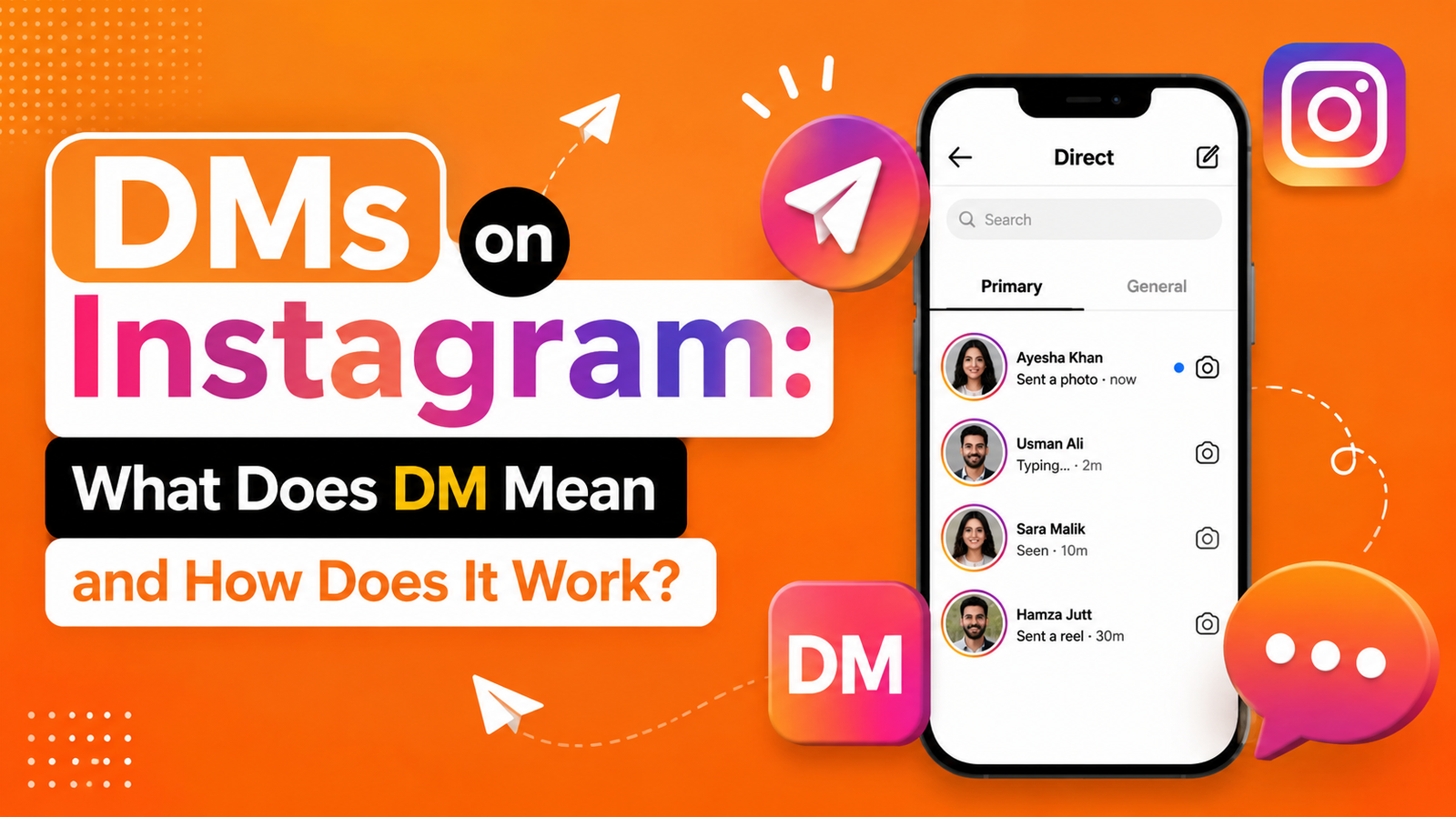
If you’ve spent any time scrolling through Instagram, chances are you’ve seen the phrase “slide into my DMs” or noticed a little paper-airplane icon sitting at the top of your screen. That icon opens up a whole world of private conversation that most people use every single day, often without thinking twice about what the letters “DM” actually stand for or how the feature really works behind the scenes.
Whether you’re new to the platform, curious about the meaning of DM on Instagram, or trying to understand the difference between your Instagram inbox and other messaging tools like the IG messenger, this guide breaks everything down in plain, simple language. By the end, you’ll know exactly what an Instagram direct message is, how to send one, how to manage your Instagram DM settings, and how businesses and creators use this feature to build real relationships with their audience.
What Does DM Mean on Instagram?
Let’s start with the basics. DM stands for Direct Message. On Instagram, a DM is a private message sent from one user to another (or to a group of users) that nobody else on the platform can see. Unlike a public comment on a photo or a reply to a Story, a DM lives inside a closed conversation thread that only the sender and the recipient(s) can access.
Think of it like the difference between shouting something across a crowded room and whispering it directly into someone’s ear. Comments, likes, and tags are public — everyone following you (or viewing the post) can see them. DMs are private. That privacy is exactly why the feature has become the go-to tool for everything from casual chats between friends to serious business negotiations between brands and influencers.
Why Instagram Calls It “Direct”
The word “Direct” isn’t just a label; it describes the function. Instead of routing a message through a public post or comment section, Instagram sends it directly from one inbox to another. This is why the feature is officially branded as Instagram Direct, and the messages within it are commonly shortened to Instagram DM.
The Full Form of DM in Chat and Social Media
If you’ve ever typed “what does DM mean” into a search bar, you’ve probably wondered whether the term is unique to Instagram. It isn’t. The DM full form in chat applications generally refers to “Direct Message” across nearly every major platform, including Twitter/X, TikTok, Facebook Messenger, and LinkedIn.
However, the way each platform implements the feature can differ slightly:
- On Instagram, DMs support text, photos, videos, voice notes, Reels shares, disappearing messages, and even payment stickers in some regions.
- On Twitter/X, DMs are more text- and link-focused.
- On LinkedIn, direct messages are often used for professional networking and recruitment.
So while the abbreviation is universal, the experience of using an instagram dm is uniquely built around visual content, since Instagram itself is a visual-first platform. This is a key distinction to understand if you’re a content creator trying to decide where to focus your private messaging strategy.
Understanding the Instagram Inbox
Your Instagram inbox is the central hub where every conversation you have on the platform lives. When you tap the paper-airplane icon at the top right of your home feed, you’re taken straight into this inbox.
Inside, you’ll typically find three main tabs:
- Primary conversations from accounts you follow or have interacted with regularly.
- General messages from people you don’t follow, often used as a lower-priority folder.
- Requests message requests from strangers or accounts that Instagram has flagged as potentially unwanted, which you must approve before the sender can message you again.
This tabbed system exists to help manage the sheer volume of messages that active users receive, especially those with larger followings. Without it, a popular account’s instagram inbox would be an unmanageable flood of unread notifications.
How Message Requests Work
When someone who doesn’t follow you sends a message, it doesn’t land directly in your main inbox. Instead, it’s filtered into the Requests folder. You can choose to accept the request (which moves the conversation to your main inbox), delete it, or simply ignore it. This system gives users a layer of control over who can contact them directly, which is especially useful for public figures and business accounts that receive high volumes of messages from unfamiliar accounts.
How to Access Instagram Direct Messages
Getting to your DMs is simple, but the exact steps depend on whether you’re using a phone or a desktop browser.
On Mobile (iOS and Android)
- Open the Instagram app.
- Tap the paper-airplane icon in the top-right corner of your home screen.
- Browse your existing conversations or tap the “+” icon to start a new one.
On Desktop
Instagram’s desktop messaging experience has improved significantly over the years. To access your instagram direct messages on a computer:
- Log into Instagram through your web browser.
- Click the paper-airplane icon near the top of the screen.
- Select an existing conversation or start a new message.
Desktop messaging now supports most of the same features as mobile, including sending photos, videos, voice messages, and even video calls, making it much easier to manage conversations without constantly reaching for your phone.
Sending Your First Instagram Direct Message
If you’re new to the platform, sending your first instagram direct message might feel slightly intimidating, but it’s a straightforward process.
Step-by-Step Guide
- Tap the paper-airplane icon to open your inbox.
- Tap the “+” or “New Message” button.
- Search for the username of the person you want to message.
- Select their profile and tap “Chat” or “Next.”
- Type your message in the text box at the bottom of the screen.
- Tap the send arrow.
You can also start a DM directly from someone’s profile page by tapping the “Message” button, or from a post/Reel by tapping the paper-airplane share icon underneath it and selecting the recipient.
Sending Different Types of Content
Instagram DMs aren’t limited to plain text. You can send:
- Photos and videos from your camera roll
- Voice messages by holding the microphone icon
- Instagram posts, Reels, and Stories shared directly into a chat
- GIFs and stickers
- Your live location (in supported regions)
- Disappearing photos and videos that vanish after being viewed
This flexibility is a big part of why the ig messenger has become such a central part of how people communicate on the app, rather than just an afterthought bolted onto the main feed experience.
Instagram DM vs IG Messenger: Are They the Same?
Many users search for ig messenger or ig in chat assuming it’s a separate app from Instagram’s built-in messaging. In reality, “IG Messenger” is simply a colloquial nickname people use to describe Instagram’s native Direct Message feature. There is no standalone app called “IG Messenger” — it’s the same system as instagram direct.
That said, there’s some historical context worth understanding. At one point, Meta (Instagram’s parent company) experimented with cross-app messaging integration between Instagram and Facebook Messenger, allowing users to chat with Facebook friends directly inside the Instagram app. While this integration has evolved over time, the core Instagram DM system remains built into the Instagram app itself and does not require downloading any separate messenger application.
So if someone tells you to check your “IG messenger,” they simply mean your Instagram inbox — same feature, different name.
Key Features of Instagram Direct
Instagram has steadily added features to its DM system over the years, transforming it from a basic text tool into a full-featured communication hub. Here’s a breakdown of what you can currently do inside an Instagram conversation:
| Feature | Description |
| Text Messaging | Send and receive standard text messages in one-on-one or group chats |
| Photo & Video Sharing | Attach images and videos directly from your camera roll or camera |
| Voice Messages | Record and send audio clips without typing |
| Video & Voice Calls | Start real-time calls with one person or a group |
| Disappearing Media | Send photos/videos that vanish after being viewed once |
| Reactions | Double-tap or long-press a message to react with an emoji |
| Message Requests | Filter messages from non-followers into a separate folder |
| Group Chats | Create conversations with multiple participants at once |
| Story Replies | Reply to someone’s Story, which lands in their DM inbox |
| Shared Posts & Reels | Send content from the feed directly into a chat |
These features make the instagram dm system function almost like a hybrid between a traditional messaging app and a social media commenting tool, blending private conversation with the visual content Instagram is known for.
Instagram DM Icons and What They Mean
Once you’re inside a conversation, you’ll notice a handful of small icons that control different actions. Understanding these icons helps you navigate your instagram inbox more efficiently.
| Icon | What It Does |
| Paper Airplane | Opens your main inbox from the home screen |
| Camera Icon | Opens the in-app camera to send a photo/video instantly |
| Microphone Icon | Hold to record and send a voice message |
| Photo/Gallery Icon | Opens your camera roll to attach existing media |
| Heart or Emoji Reaction | Long-press a message to react without replying |
| Phone/Video Icon | Starts a voice or video call within the chat |
| Three Dots (More Options) | Access settings like muting, blocking, or deleting a chat |
Knowing these small but important controls can save you time and help you avoid accidentally sending something before you’re ready.
Privacy and Safety Tips for Instagram DMs
Because DMs are private, many people assume they’re automatically safe from misuse but privacy and safety aren’t the same thing. Here are some practical tips for keeping your instagram direct message experience secure:
Control Who Can Message You
In your privacy settings, you can adjust who is allowed to send you message requests: everyone, only people you follow, or nobody at all. Tightening this setting is especially useful if you’re receiving unwanted messages from strangers.
Be Cautious With Links and Attachments
Scammers frequently use DMs to send phishing links disguised as prize notifications, account verification requests, or “collaboration” offers. Never click a link from an unfamiliar account, and never share your password or verification codes inside a DM conversation, even if the sender claims to be from Instagram’s support team.
Use Restrict and Block Features
If someone is bothering you, Instagram offers a “Restrict” option that limits their ability to see when you’re active or when you’ve read their messages, without alerting them that they’ve been restricted. For more serious situations, blocking removes their ability to contact you entirely.
Report Suspicious Activity
If you receive a DM that violates Instagram’s community guidelines — harassment, spam, scams, or explicit content — use the built-in reporting tool. This helps Instagram’s moderation systems identify and remove bad actors from the platform.
Instagram DM Etiquette: Do’s and Don’ts
Since so much modern communication happens through instagram dm, it’s worth understanding basic etiquette, especially if you’re reaching out to someone you don’t know well, whether for personal or professional reasons.
Do’s
- Introduce yourself briefly if the recipient doesn’t know you.
- Keep initial messages concise and respectful.
- Respond to Story replies with genuine engagement rather than ignoring them.
- Use voice messages sparingly and only with people who are comfortable receiving them.
- Don’t send unsolicited promotional content repeatedly (this is often flagged as spam).
- Don’t overwhelm someone’s inbox with multiple messages in a row before they’ve responded.
- Don’t share private conversations or screenshots without the other person’s consent.
- Don’t use DMs to send content that violates community guidelines, even privately.
Good DM etiquette isn’t just about being polite — it also protects your account from being flagged or restricted for spammy behavior, which Instagram’s algorithms actively monitor.
Troubleshooting Common Instagram DM Issues
Even with a generally reliable system, users occasionally run into problems with their instagram inbox. Here are some of the most common issues and how to resolve them.
Messages Not Sending
If your messages aren’t going through, check your internet connection first. If the connection is fine, try force-closing and reopening the app, or logging out and back into your account.
Not Receiving Notifications
Sometimes notification settings get disabled, either accidentally or through an app update. Head into your device’s notification settings and confirm that Instagram has permission to send alerts, then double-check Instagram’s in-app notification settings for DMs specifically.
Message Requests Disappearing
Occasionally, message requests can get buried or filtered incorrectly. Check both the “General” and “Requests” tabs, as Instagram’s filtering system isn’t always perfect at categorizing new conversations.
Can’t Find an Old Conversation
Use the search bar at the top of your inbox and type the person’s username. Instagram retains message history unless a conversation has been manually deleted by one of the participants.
Instagram DM for Business: Using DMs to Grow Your Brand
For businesses and creators, the instagram direct feature has become a powerful sales and customer service tool. Many brands now treat their DM inbox as seriously as their email support line.
Customer Service Through DMs
Customers increasingly prefer messaging a brand directly rather than calling or emailing, and Instagram DMs offer a fast, familiar way to ask questions, request order updates, or resolve issues.
Automated Replies and Quick Responses
Business accounts can set up automated greeting messages, saved quick replies, and even basic chatbot-style automation to handle frequently asked questions, ensuring potential customers get a fast response even outside business hours.
Turning DMs Into Sales
Many creators and small businesses use “comment-to-DM” automation, where commenting a specific keyword on a post triggers an automatic direct message containing a product link, discount code, or more information. This strategy has become one of the most effective ways to convert casual followers into paying customers directly through the ig messenger system.
Building Relationships With Followers
Beyond transactions, DMs allow creators to build genuine relationships with their audience by replying personally to messages, running polls through Story replies, and creating a sense of accessibility that public comments simply can’t replicate.
The Evolution of Instagram Direct Messaging
To fully appreciate how the instagram dm system works today, it helps to look at how far it has come. Instagram Direct originally launched as a fairly limited feature — a simple way to send a single photo privately to a small group of people, almost like a private version of the main feed. There were no group chats with dozens of members, no voice notes, and no video calling.
From Simple Photo Sharing to a Full Messaging Platform
Over time, Meta expanded the feature dramatically. Text-only conversations were introduced, followed by the ability to reply to Stories (which automatically routes into the recipient’s DM inbox), then voice messages, video calls, and disappearing media. Each update pushed the ig in chat experience closer to a standalone messaging app, blurring the line between “social media platform” and “messaging service.”
Integration Attempts With Facebook Messenger
At various points, Meta tested merging the backend infrastructure of Instagram Direct and Facebook Messenger, allowing cross-platform messaging between the two apps. While some of these features have appeared and been adjusted over different app versions and regions, the Instagram app has generally retained its own native inbox experience, meaning most users simply use the instagram inbox without needing a separate Messenger app at all.
Why This History Matters
Understanding this evolution helps explain why Instagram DMs feel so feature-rich compared to when the app first launched. What started as a niche private-sharing tool has become a primary communication channel for billions of users, rivaling traditional SMS and even email for many people under 40.
Group Chats and Broadcast Channels
Beyond one-on-one conversations, Instagram’s messaging tools now include two additional formats worth understanding.
Group DMs
A group DM allows multiple users to chat together in a single thread, complete with a customizable group name, shared media, and the ability to add or remove participants. Group chats are commonly used among friend circles, small teams, or communities coordinating around a shared interest.
Broadcast Channels
Creators and public figures can also set up Broadcast Channels, a one-to-many messaging format where the creator posts updates that followers can view and react to, but typically cannot reply within the main channel thread the same way they would in a normal DM. This format sits somewhere between a public Story and a private group chat, giving creators a more intimate way to share updates without opening a fully public conversation.
Frequently Asked Questions About Instagram DMs
What is the meaning of DM on Instagram? DM stands for Direct Message — a private message sent between users that isn’t visible to anyone outside the conversation.
Can someone see if I’ve read their DM? Yes, Instagram typically shows a “Seen” indicator once you’ve opened and viewed a message, unless you’ve adjusted your privacy settings or used the Restrict feature.
Can I unsend a DM after sending it? Yes, you can tap and hold a sent message and select “Unsend” to remove it from the conversation for both participants.
Do Instagram DMs disappear over time? Standard text and media messages remain in the conversation history unless manually deleted. However, messages sent using the “disappearing” feature vanish after being viewed once.
Is it safe to share personal information in DMs? It’s best to avoid sharing sensitive personal information, financial details, or passwords in DMs, even with people you trust, since accounts can be compromised or impersonated.
Final Thoughts
Understanding what DM means on Instagram — and how the broader instagram direct ecosystem works — makes navigating the platform far easier, whether you’re catching up with friends, managing a growing instagram inbox as a creator, or using DMs as a serious business communication channel. From basic text chats to voice messages, group conversations, and automated business replies, the humble paper-airplane icon has quietly become one of the most powerful tools on the entire platform.
Now that you know the DM full form in chat, how the IG messenger system works, and the etiquette that keeps conversations respectful and safe, you’re ready to make the most of every direct message you send or